
Bunker Tidy Up controls and first steps
Bunker Tidy Up controls and first steps
Bunker Tidy Up keeps its input model deliberately small — the official screenshots show only two keyboard prompts on screen, and everything else is mouse-driven picking and placing. Below is what is confirmed from official material; the full binding list has not been published yet.
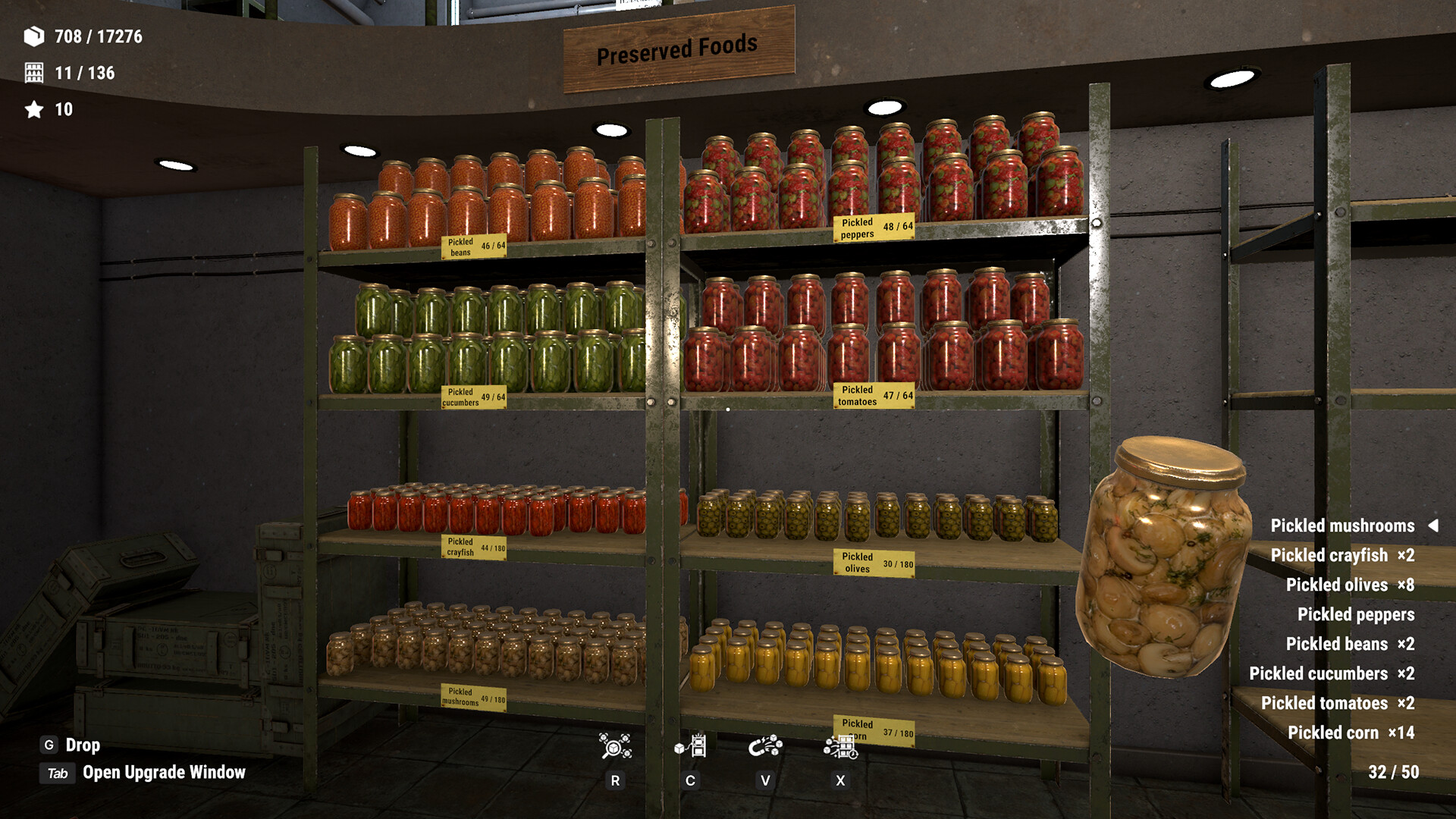
Confirmed controls
| Input | Action | Where it is confirmed |
|---|---|---|
| G | Drop the item you are holding | Official store screenshot HUD ("G Drop") |
| Tab | Open the Upgrade Window | Official store screenshot HUD ("Tab Open Upgrade Window") |
| Mouse | Pick up, carry and place items | Core mechanic per official description |
| Gamepad | Full controller support, including DualShock | Steam category tags |
Your first hour: a confirmed-facts checklist
- Expect chaos. You inherit a bunker with thousands of loose supplies — the official number is 17,437 items to arrange. Nothing is timed; leave the mess mid-session and it stays.
- Sort by category, not by shelf. The four categories the developer names (food, medicine, tools, books) are the mental anchors — find the item type first, then its shelf.
- Open the Upgrade Window early (Tab). The launch achievement list confirms it is a real progression tree: "Will Come in Handy — Unlock a skill" (80.7% of players) and "Jack of All Trades — Fully unlock and upgrade all skills" (3.7%). The individual skill list itself is not documented yet.
- Watch the counters. The top-left tallies (for example 14 / 17,276 with per-category counts) are your only progress bar — they tell you how much clutter is left overall and per type.
The pacing rules (official tags)
Two Steam category tags define how the game treats your time:
- Playable at your own pace — no rush mechanics.
- Playable without Timed Input — no button-mash timers, no quick-time events.
Combined with "no timers, no stress" from the store page, the intended session shape is: put on a podcast, sort a shelf, stop whenever.
What is not confirmed
- The key that throws an item away (the mechanic exists — "Not a Scratch" tracks 100 thrown items — but the binding is not in any official source).
- The individual skills inside the Upgrade Window and what each one improves.
- The penalty for wrong placement, and where the collectibles hidden behind "Nothing Forgotten" are.
- Any secret or late-game mechanic — the launch build is a day old.
Items marked unconfirmed get answered in the FAQ as soon as the community or the developer confirms them.